


Debbie Rewards
4.93.95K Reviews
App Specs
- Version
- 2.6.36
- Updated On
- License
- Free
- Downloads
- 100,000+
- Developer
- Debbie Inc.
- Categories
- Finance
- Platform
- Android
Screenshots
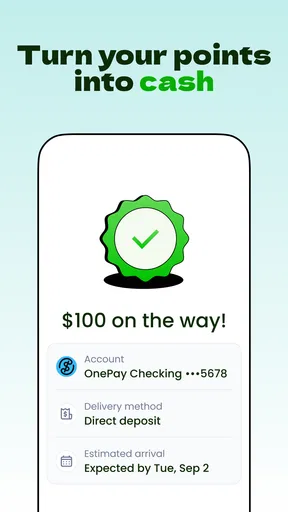
 Analysis by AppCompare
I would approach Debbie Rewards as a small finance companion for making everyday spending feel a little more productive—not as a replacement for a bank account, a budgeting system, or a reliable way to earn a fixed amount. Its central appeal is the chance to pay, save, and earn within one app. That can be useful if you already like rewards and want a place to keep that activity in view, but the value depends on how naturally it fits your habits.
What to expect from a rewards-focused finance app
Debbie Rewards is a free finance app from Debbie Inc. Its audience is broad: the content rating is Everyone, and it has passed 100,000 installs. It has a 4.9 average from around 15,000 ratings, alongside roughly 3,900 written reviews. Those figures suggest many users are pleased, but they don’t tell me whether the app suits someone who wants detailed expense tracking or a predictable return from every purchase.
The useful distinction is that this is best considered a rewards-oriented tool, rather than a full personal-finance dashboard. If you want to understand where your money goes across every account, a dedicated budgeting app or your bank’s own tools are likely a better starting point. If you’re interested in connecting payment activity with saving and rewards, Debbie Rewards is more relevant.
The app’s name sets an expectation, but I’d keep the first goal modest: get oriented, understand what actions are available to you, and see whether one of them fits something you already do. Rewards are most useful when they complement a purchase or saving habit you already have, not when they persuade you to spend more just to chase a benefit.
For a first-time user, the best outcome is not a dramatic payout. It is learning what the app asks you to do, completing one action that makes sense, and knowing where to check whether it worked. That approach keeps the experience practical and makes it easier to decide whether to keep using it.
Start with a clear idea of what you want from it
Before signing up or exploring every screen, decide what you hope to get out of the app. Maybe you want to make saving feel more engaging, or you’re curious whether everyday payments can contribute to rewards. Those are sensible reasons to try it. If your priority is a strict monthly budget, debt payoff plan, or detailed transaction categorization, keep a more specialized tool in the picture.
This distinction matters because reward apps can make small benefits feel more prominent than the underlying spending. I’d treat any reward as a bonus, not as a reason to buy something I wouldn’t otherwise choose. A simple personal rule helps: only count an offer as worthwhile when the purchase itself is already part of your plan.
Worth Reading Before You Choose

EA SPORTS FC Mobile 26 Is a Bigger Football Game, but It Takes Time

Flipboard Shows What News Apps Must Do Beyond the Feed

Switching to Android Auto Means Rethinking Your Driving Routine

Google Calendar Makes a Crowded Week Easier to Manage

Ludo King Makes the Most of the Minutes Between Plans

Baby Panda World Brings Quick Play to Modern Phones, but Its Game Library Feels Busy
First setup: take it one decision at a time
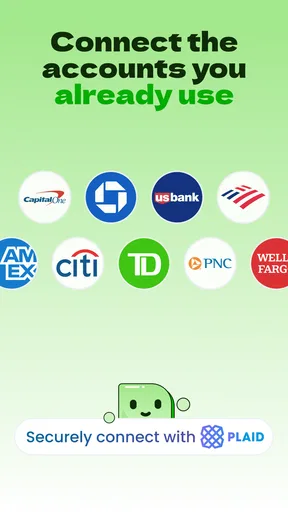
When you first open a finance app, it’s tempting to accept every prompt just to get to the main screen. I wouldn’t rush. Read each setup step and consider what it is asking you to do before moving on. If a choice involves connecting payment activity or providing personal information, make sure you understand why it is needed and whether you’re comfortable proceeding.
I also recommend setting aside a few minutes when you aren’t in the middle of a checkout or trying to pay a bill. That gives you room to read instructions, notice how the app describes its reward process, and avoid confusing an unfinished setup step with a completed action. If you’re interrupted, return to the screen you were on rather than repeating steps blindly.
Debbie Rewards is currently at version 2.6.36, and its stated minimum operating system is 7.0. That makes compatibility worth checking before you begin, particularly if you use an older device. The app is free to download, but I would still read any terms shown during setup carefully; “free” does not answer every question about how a particular reward or transaction works.
A practical setup habit is to note what you have agreed to and what you still need to do. For example, if the app presents a task or asks you to complete an action before rewards apply, keep that requirement in mind rather than assuming installation alone earns anything. Separate “account ready” from “reward earned” in your expectations. They are not necessarily the same milestone.
Your first meaningful success should be easy to verify
Choose one straightforward action that the app itself presents as available to you, then follow its instructions from beginning to end. The aim is not to test every option at once. It is to make one deliberate attempt and confirm what the app shows afterward. That gives you a concrete sense of its workflow without turning your first session into a guessing game.
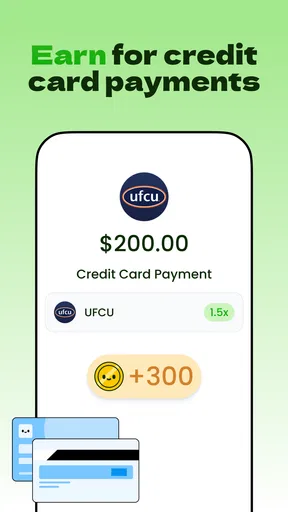
For example, imagine you’re about to make a routine purchase you had already planned. Before paying, check whether Debbie Rewards presents a relevant action or requirement. If it does, read the conditions and decide whether they fit the purchase. If they do, follow the stated steps and return to the app afterward to see whether it recognizes the activity. If nothing relevant appears, simply make the purchase as usual; don’t add spending to manufacture a first success.
This is a more useful test than tapping through screens at random. You learn whether the app’s process makes sense in a real situation, whether the action is easy to find, and whether the result is clear enough for you to trust. If the status is not immediately obvious, give yourself a moment to review the app’s instructions instead of repeating the same action, which could create confusion.
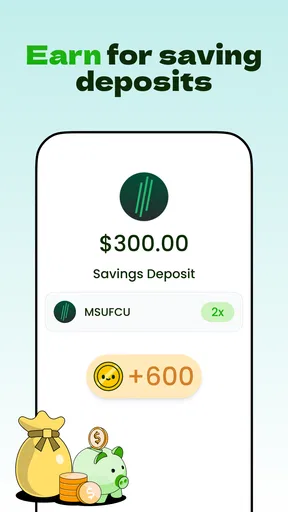
For saving, use the same cautious approach: understand the amount and timing involved before committing. A reward or savings feature should fit your budget and cash flow. If you need that money for an upcoming bill, don’t let the promise of a small benefit take priority over having funds available when you need them.
Where new users can get confused
The most common point of confusion with a rewards app is the difference between an action being eligible and a reward being confirmed. A user may see a tempting opportunity and assume that opening it, making a purchase, or completing a general setup step is enough. Read the specific instructions attached to the action, and look for a clear indication of its status afterward.
Another possible snag is treating all rewards as equivalent to cash. A reward may have conditions or a particular way it can be used. I would check the app’s explanation before deciding what an amount is worth to me. If the terms don’t suit your needs, it is reasonable to skip that opportunity rather than spend time pursuing something you may not use.
It also helps to keep your expectations measured. The app’s short description is “Debbie Rewards,” and the broader promise of paying, saving, and earning can sound like a single seamless loop. In practice, those are different financial activities. A payment is not automatically a saving decision, and neither should be confused with confirmed earnings. Keep track of which step you completed and what the app says happened.
If a result seems delayed or unclear, avoid making the same purchase again just to see whether it registers. Check the relevant instructions and any status information first. That small pause can prevent a minor uncertainty from turning into an unnecessary transaction or a frustrating support question.
How it compares with familiar alternatives
Compared with a bank app, Debbie Rewards is worth considering for its rewards-centered focus, while a bank app is usually the natural place to review account balances and ordinary transactions. I would not rely on a rewards tool as my only way to monitor cash flow. Keeping the bank app available gives you a clearer view of the money itself; Debbie Rewards can serve a different purpose alongside it.
Compared with a conventional budgeting app, the emphasis is different again. Budgeting tools are designed to help you plan, categorize, and review spending. A rewards app is more compelling when you want to engage with earning or saving opportunities connected to actions you take. If your real problem is overspending, the first tool to choose is one that helps you set limits—not one that makes spending feel more exciting.
There is also a trade-off in attention. Any extra app can ask you to check offers, understand conditions, or remember a process. That friction is worthwhile only if the app’s benefits are relevant to your normal routine. I’d keep it if I could use it without changing good spending habits; I’d set it aside if tracking opportunities became more work than the value I received.
Who is likely to enjoy it—and who may prefer something else
I can see Debbie Rewards working for someone who is curious about rewards, comfortable reading conditions, and willing to try a focused finance app alongside their usual banking tools. It may also appeal to someone who wants a more engaging prompt to think about saving, provided they remain in control of the decisions and amounts involved.
I’d be more cautious if you need a comprehensive household budget, detailed reports, or a guaranteed income stream. I’d also skip it if you find reward offers push you toward purchases you would not otherwise make, or if you dislike adding another service to your financial routine. Those are not failures on your part; they are signs that a different tool may fit better.
The app is free, which makes trying it less of a financial commitment, but your time and attention still matter. Give it a fair, limited trial: learn the setup, complete one suitable action, and then judge whether the experience was clear and useful. You do not need to use every feature to decide whether the app earns a place on your phone.
A sensible next step after your first try
Once you have completed an action, check what the app says about its outcome and decide whether you understand the next step. If the process felt straightforward, make a habit of checking Debbie Rewards only when a relevant purchase or saving decision is already on your mind. That keeps the app in a supporting role instead of letting it dictate how you spend.
Debbie Inc.’s app was released on February 15, 2023, and its appeal remains easy to grasp: it brings a rewards angle to personal finance. My recommendation is measured. Try it if that angle matches your habits, but pair it with the financial tools you already trust and never count a potential reward before its terms and status are clear.
Overall, Debbie Rewards is most promising for a first-time user who takes a careful, low-pressure approach. Start by understanding the setup, choose one action that already fits your plans, and verify the result before moving on. If that first experience feels useful without encouraging extra spending, the app may be a worthwhile companion. If it adds confusion or distracts from budgeting, a simpler bank or money-management app is likely the better choice.
Pros
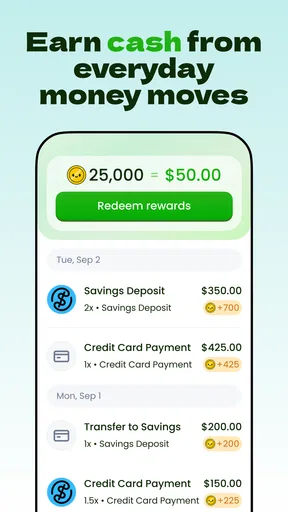
- Earn points on eligible purchases and redeem them for rewards.
- The app keeps reward offers and account details in one place.
- A digital loyalty card can be more convenient than carrying a physical one.
- Checking available offers may help you spot ways to earn extra points.
- Free to download
- with no separate loyalty card purchase required.
Cons
- Rewards are limited to participating retailers and eligible purchases.
- Points may take time to appear after a transaction.
- Some offers may require activation before you shop.
- Reward availability and redemption terms can change.
- You may need to share personal or purchase information to use the program.
FAQs for Debbie Rewards
What is Debbie Rewards, and how does it work?
Debbie Rewards is a rewards app designed to let users earn benefits by completing activities offered through the app, such as shopping or other eligible tasks. The exact offers and earning methods can change, so check the current app description and in-app terms before signing up. Review each offer’s requirements carefully: some may require a purchase, a linked account, or completion within a specific time frame.
Is Debbie Rewards free to download and use?
The app may be free to download, but that does not necessarily mean every activity is free. Some rewards offers may involve purchases or other costs, and mobile data charges can depend on your plan. Before taking part, read the offer details and any applicable terms so you understand what you need to spend, what qualifies, and whether a reward is guaranteed or subject to verification.
How can I redeem rewards earned with Debbie Rewards?
Redemption options, minimum balances, and processing times can vary by offer and may change over time. Check the rewards or account section in the app for the choices currently available to you, and read the instructions before submitting a redemption request. Make sure your account information is accurate, since incomplete details or unverified activity can delay processing or make an offer ineligible.
Is Debbie Rewards available in my country, and do I need to meet eligibility requirements?
Availability can depend on your location, device, and the terms of individual offers. Some activities may be restricted to specific countries, age groups, or new customers, even if the app itself appears in your store. Confirm that Debbie Rewards is listed for your region in Google Play or the App Store, then review the current eligibility rules before completing an offer.
What information does Debbie Rewards collect, and is it safe to use?
Before creating an account, review Debbie Rewards’ privacy policy and the privacy information shown on its Google Play or App Store listing. Rewards apps may need certain account or activity details to track offer completion and manage payouts, but the exact information collected depends on the app and its partners. Download only from an official store, use a strong password, and avoid sharing sensitive information unless the app clearly explains why it is required.


